Organize, protect, and share your files in two panes.

| Name | Solid Explorer |
|---|---|
| Publisher | NeatBytes |
| Genre | Productivity |
| Size | 43.88 MB |
| Version | 3.0.2 |
| Update | October 22, 2025 |
| Premium Unlocked | |
| Get it On | Play Store |
Screenshots
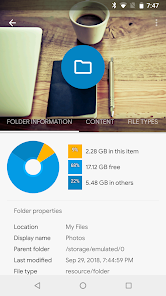
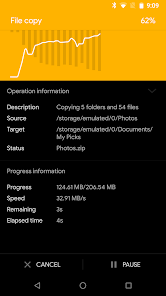

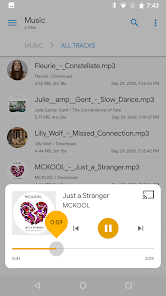
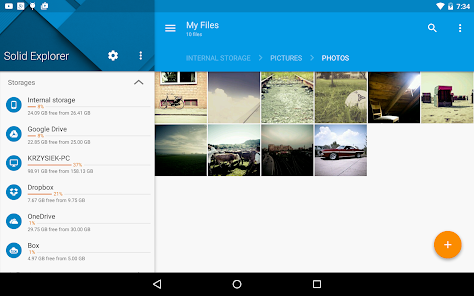

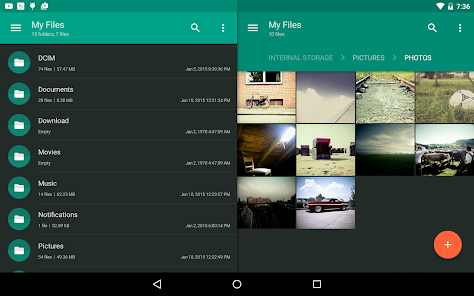
Solid Explorer is a powerful file manager for Android devices. It offers a sleek, two-pane interface that makes browsing and organizing files fast and intuitive. Users benefit from powerful features such as cloud storage support, encrypted file management, and a wide range of customization options. With Solid Explorer, managing local and remote files becomes easy, improving productivity for both casual users and professionals. Its smooth operation and regular updates ensure a reliable and secure file management experience.
FEATURES
Dual-Pane Interface for Efficient File Management
One of the standout features of Solid Explorer is its dual-pane layout, which allows users to view and manage two folders at the same time. This design makes it much easier to move, copy, and compare files between different locations without having to switch back and forth. The split-screen approach streamlines multitasking, especially when working with multiple directories or transferring files between local storage and cloud services. This intuitive layout is appealing to both casual users who need simple organization and professionals who deal with extensive file operations.
Extensive Cloud Storage Integration
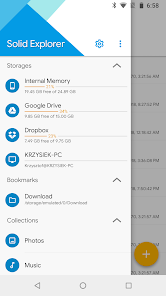
Solid Explorer supports Google Drive, Dropbox, OneDrive, Box, and many other cloud storage services. This feature offers users the convenience of directly accessing, managing, and transferring files from multiple cloud accounts within a single application. This eliminates the need to switch between different cloud applications or web portals, streamlining workflows and improving productivity. The app provides cloud file security, allowing users to encrypt sensitive data before uploading or downloading, adding an important layer of privacy and security.
Strong File Encryption and Security Options
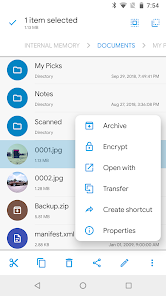
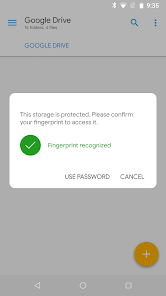
Security is a key focus for Solid Explorer, allowing users to protect their files with strong encryption protocols. The app supports AES-256 encryption, which allows you to securely encrypt and decrypt files within the app. This feature is ideal for users who need to store sensitive documents, personal media, or confidential work files on their device without fear of unauthorized access. In addition to encryption, Solid Explorer offers password protection for private folders, improving overall security and control.
Customization and User Experience Improvements
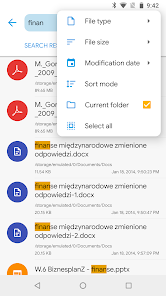
Solid Explorer has a high level of customization, from appearance to functionality. Users can choose from multiple themes, including dark mode, and customize the look and color scheme to their liking. In addition to its beauty, Solid Explorer supports plugins that extend its capabilities, such as FTP and SMB client support for accessing network files. It handles almost all common file formats and archives, which makes it suitable for a wide range of file handling needs. These improvements make the program not only practical, but also enjoyable to use.
Related posts:


Report

