Real-time HD, Full HD, and 4K screen recording, High FPS support, ultra-smooth gameplay recording

| Name | Mirillis Action! |
|---|---|
| Publisher | Mirillis Ltd |
| Genre | Multimedia |
| Size | 105.00 MB |
| Version | 4.47.0 |
| Update | December 29, 2025 |
| Full Version |
Screenshots
Explore this article
Mirillis Action! IntroductionHigh-quality screen and game recordingProfessional-grade game recording toolsLive Streaming for Content CreatorsEfficient audio recording and captioning functionsConvenient real-time effects and overlaysBuilt-in video management and export toolsMirillis Action! Key FeaturesMirillis Action! Requirements
Mirillis Action! Pro is a powerful, high-performance screen recording and game recording solution developed by Mirillis Ltd. Mirillis Action! Pro is a feature-rich application targeting users who need to capture smooth, high-quality videos with minimum system impact. It is widely used by gamers, content creators, teachers, and professionals who need clear video output and reliable performance in various recording situations.
Mirillis Action! Pro is the ideal gameplay recording software to create tutorials, write programs, or even record professional presentations. The video manager within the program allows for easy organization, editing, and exporting of recordings with optimized codecs that ensure small file sizes without compromising quality. In general, it’s a reliable and polished recording experience that would please both casual users and professionals.
Mirillis Action! Introduction
The software features real-time HD recording, hardware-accelerated video encoding, and an intuitive interface; even complete beginners can use it without a problem. High-framerate recording of gameplay and excellent visual fidelity have earned it popularity among gamers. It provides support for webcam overlays, audio commentary, benchmark tools, and live streaming across all significant platforms. Here is a complete overview of Mirillis Action:
High-quality screen and game recording
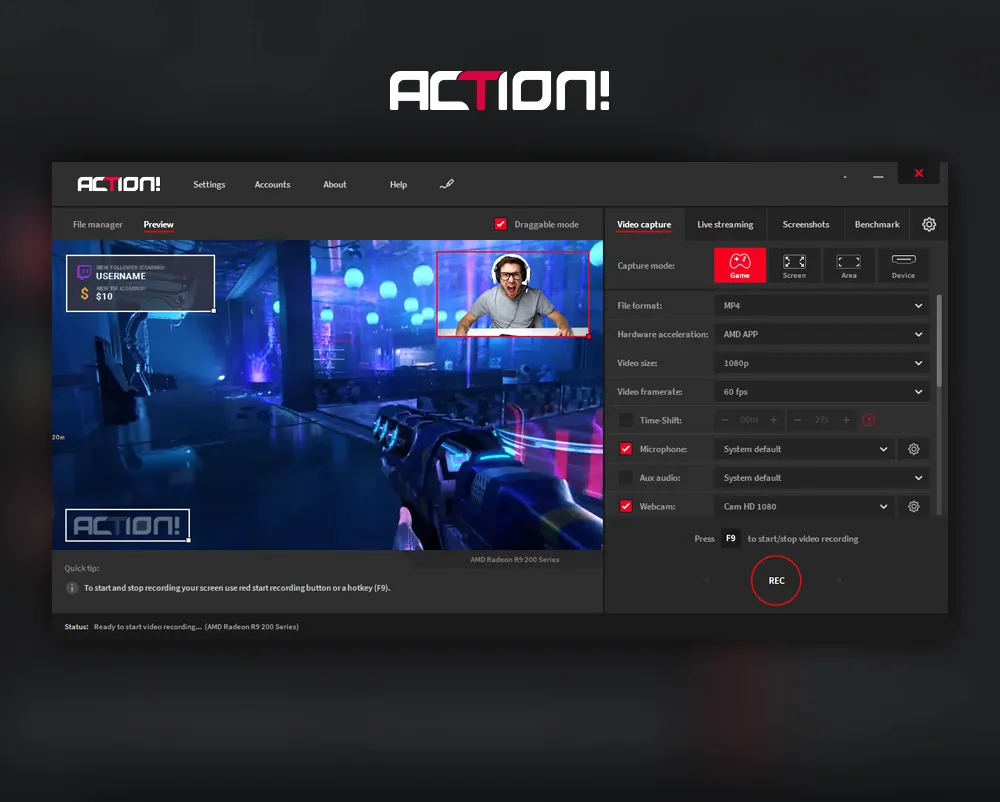
Mirillis Action! Pro is able to record screens with amazingly smooth and high quality, whether it be recording desktop tutorials or fast-paced games. The hardware-accelerated encoding enables recording in Full HD or higher resolutions without affecting system responsiveness, keeping performance losses at a minimum. More importantly, this will be very helpful for gamers who wish to record freely according to the frame rate of their games or for teachers who want clear and crisp images for educational purposes. And due to its intuitive interface, even users without much experience with screen recording software can easily get started.
Professional-grade game recording tools
Suppose you’re a YouTuber or avid streamer, Mirillis Action! Pro simplifies your content creation workflow. The app supports smooth high-FPS game recordings, webcam overlays, microphone annotations, and benchmarking tools that give you real-time performance metrics. These let you create slick game videos with the least post-production hassle. High-quality codecs ensure that even intricate scenes, such as fast motion or heavy animations, are clear of artifacts. By reducing the performance load on your computer, the software reduces the performance load on your computer, helping you maintain competitive gameplay and capture every moment perfectly.
Live Streaming for Content Creators
For live streamers, Mirillis Action! Pro provides built-in support for YouTube, Facebook, and Twitch. An integrated live streaming module allows streaming with customized video settings, overlays, and a live audio mixer. This eliminates the need for third-party applications to stream and leads to a more seamless workflow. You can easily change the bitrate, resolution, and even the source of your audio during active streaming, tailoring your content to the needs of your audience and their internet connection. It makes the whole content-creation process much easier by being able to record and stream from one application.
Efficient audio recording and captioning functions
Mirillis Action! Pro lets you capture high-quality audio from multiple sources, whether you’re capturing system audio, microphone input, or both. This is especially useful for videographers, podcasters, and gamers who often talk about their footage. Moreover, the application will support multi-channel audio recording, enabling you to edit the speech separately after recording. Noise reduction options and audio level controls help make the sound clean and professional, making your video more engaging and easy to understand.
Convenient real-time effects and overlays
Further, the software is equipped with a variety of real-time visual effects and overlays to personalize your recording or stream. This includes webcam frames, time displays, HUD information, and personalized logos, among others. This allows for adding a personal touch to your content and gives your video a unique, polished look without further need for outside editing software. Real-time preview lets you see how your footage will look before you start recording, allowing you to avoid mistakes and maintain consistent branding across all your content.
Built-in video management and export tools
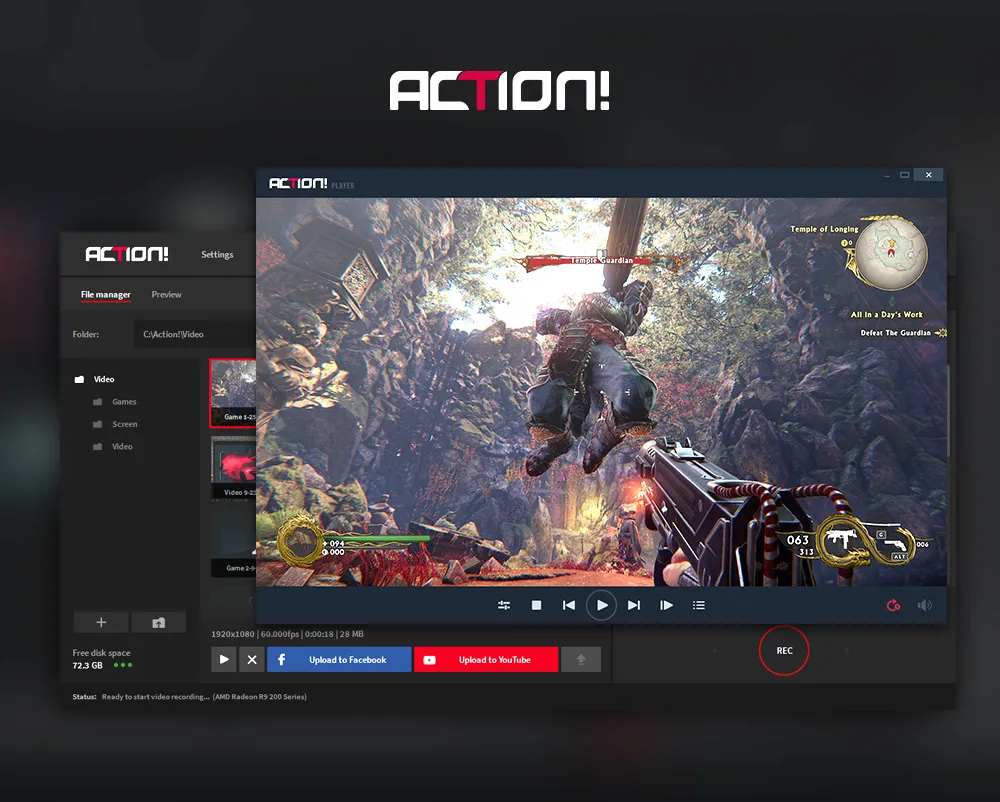
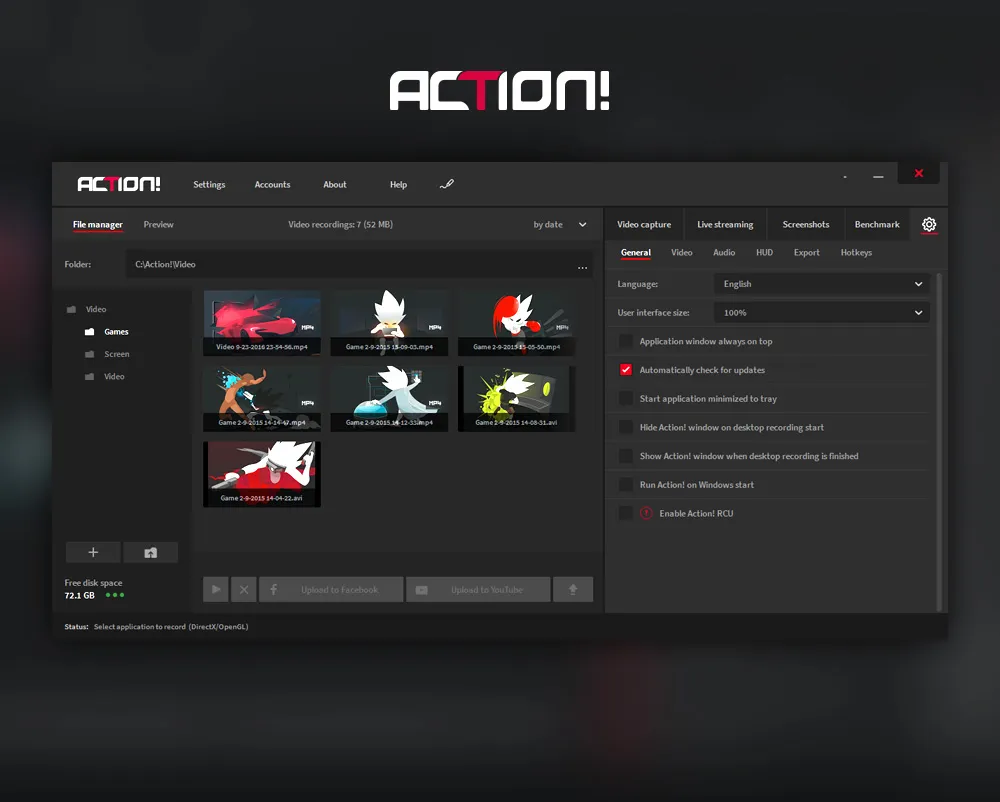
Mirillis Action! Pro incorporates an advanced video manager that will help you view, trim, and export your footage all from within the application. You can easily export the videos to other sites like YouTube, thereby making it faster and easier. Optimized export profiles allow you to shrink file size, save uploading time, and reduce storage costs. With such functions, Action! Pro becomes more than just a recording tool; rather, it is an all-in-one content creation, management, and distribution solution.
Mirillis Action! Key Features
- Real-time HD, Full HD, and 4K screen recording
- Ultra-smooth gameplay recording with high FPS support
- Live streaming to YouTube, Twitch, Facebook, and more
- Time-Shift recording to save past gameplay moments
- Hardware-accelerated video encoding: Intel Quick Sync, AMD, NVIDIA
- Record audio from system sound, microphone, or both
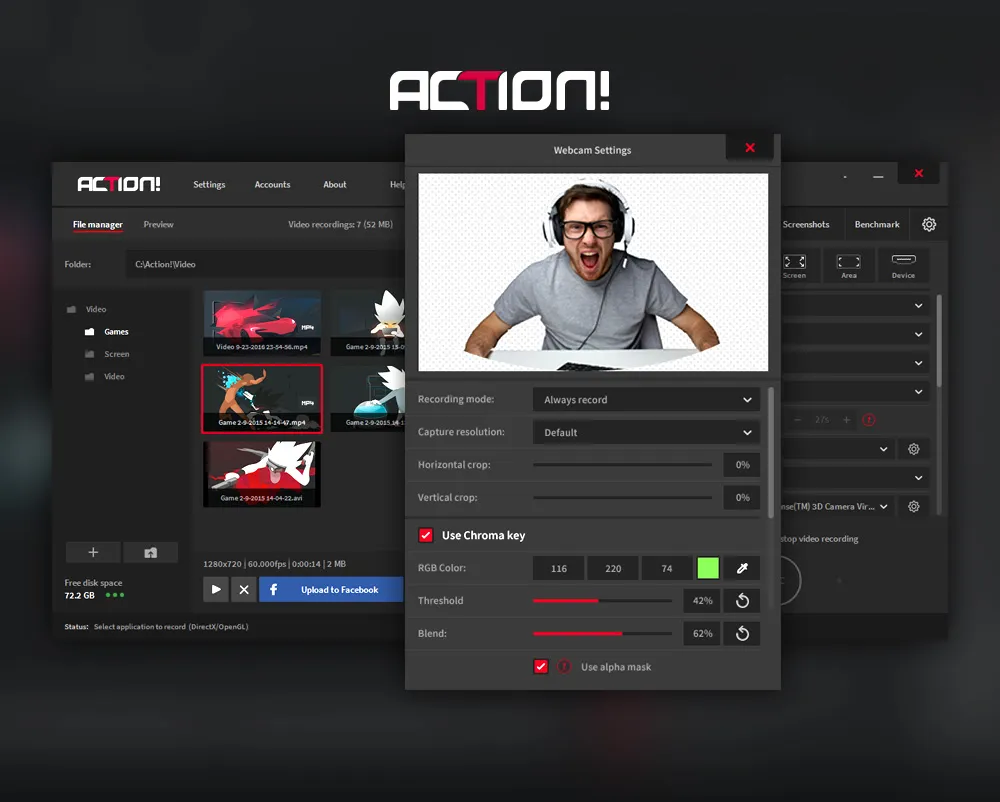
- Chroma key/green-screen support for webcam overlays
- Picture-in-Picture mode with customizable webcam placement
- Benchmarking tools to track and show game performance.
- Smooth slow-motion playback of gameplay videos.
- User-friendly and intuitive interface.
- Built-in video manager for previews, editing, and exporting
- Multimode recording: game, screen, selected area, and device
- Export videos directly to popular formats and social platforms
Mirillis Action! Requirements
| Operating System | : Windows All (32-bit, 64-bit) |
| CPU (Processor) | : Dual-core 1.5 GHz or faster |
| RAM (Memory) | : 1 GB RAM (recommended 2 GB) |
| Free Disk Space | : At least 200 MB of free space |
Related posts:


Report

