Comprehensive system diagnostics with deep junk and temporary file cleaning

| Name | Advanced System Repair Pro |
|---|---|
| Publisher | Advanced System Repair Inc |
| Genre | Tools & Utilities |
| Size | 23.00 MB |
| Version | 2.0.1 |
| Update | December 4, 2025 |
| Full Version |
Screenshots
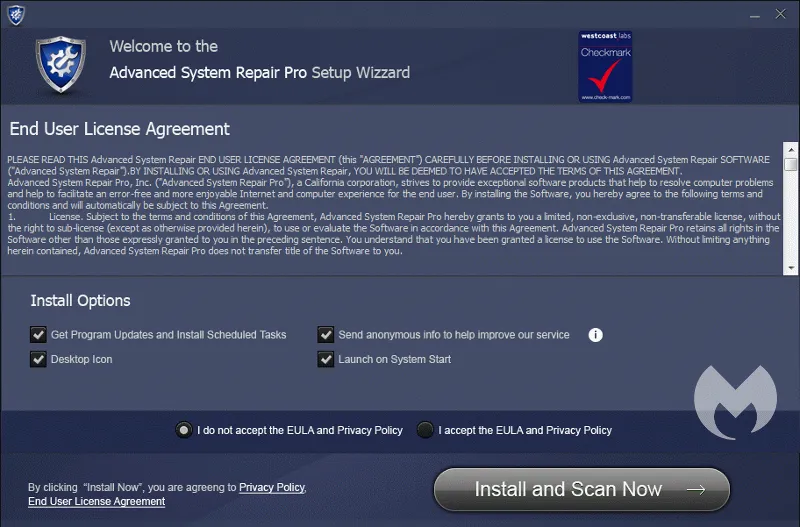
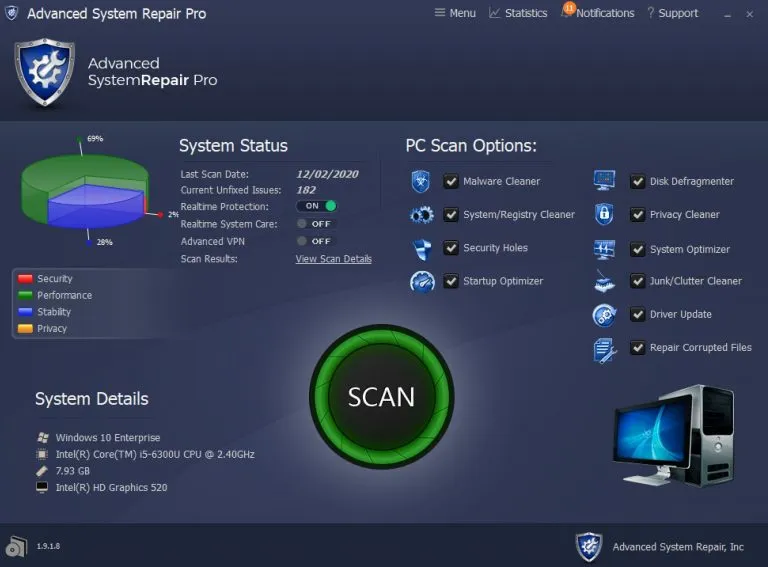
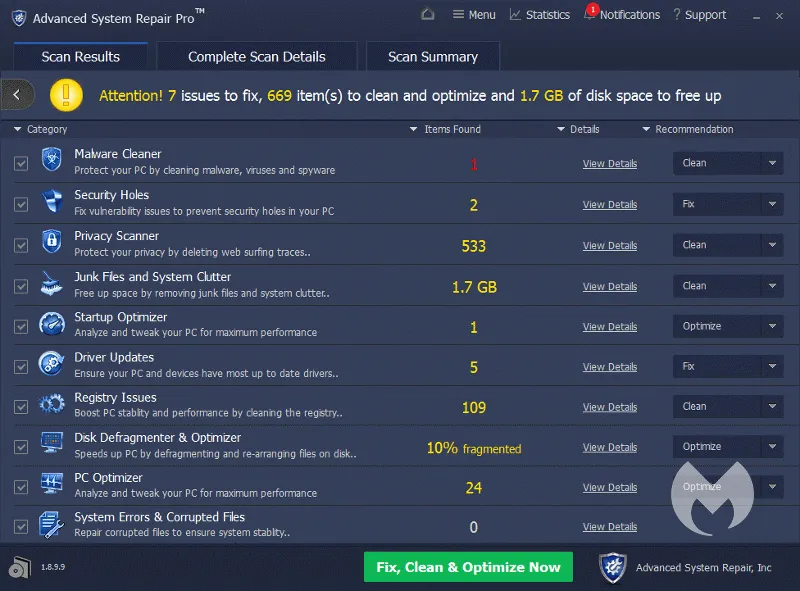
Advanced System Repair Pro can significantly improve the overall performance of your computer by detecting system problems, optimizing resource usage, and improving stability. Developed by Advanced System Repair, Inc., this software integrates multiple repair and optimization tools into a single platform.
Advanced System Repair Pro offers deep cleaning capabilities, real-time system monitoring, and advanced repair features that go beyond the basic free scan. It provides more powerful features such as malware removal, startup optimization, and privacy protection, helping users achieve maximum computer performance and security.
Advanced System Repair Pro Introduction
Advanced System Repair Pro is a comprehensive Windows optimization tool designed to analyze and repair system slowdowns caused by junk files, registry errors, and unnecessary background processes. It uses advanced diagnostic technology to identify performance bottlenecks, remove clutter, and improve system responsiveness. The tool is designed to extend the life of your computer by keeping it running smoothly and reliably.
Comprehensive System Diagnostics
Advanced System Repair Pro provides users with a powerful diagnostic engine that can scan the entire Windows system for performance issues, security threats, and unnecessary clutter. The detailed report highlights problematic areas such as registry errors, fragmented files, outdated drivers, and traces of malware. By scanning everything at once, the software allows users to quickly understand the root causes of system slowdowns and security vulnerabilities, making computer maintenance more efficient and easier.
Performance Optimization Tools
One of the main offerings of Advanced System Repair Pro is a variety of optimization tools designed to improve system speed and responsiveness. Users can clean up junk files, delete temporary data, and reduce unnecessary background processes. These optimizations free up valuable system resources, speed up boot times, multitask smoothly, and improve overall performance. The software helps users keep their computers running at peak efficiency during daily tasks and heavy workloads.
Deep Cleaning and Junk Removal
Advanced System Repair Pro specializes in removing clutter that accumulates during regular computer use. This includes browser cache, unused registry entries, invalid registry entries, and files left over from uninstalled programs. By performing deep cleaning, the software helps users reclaim storage space, prevent file conflicts, and reduce the risk of crashes. This comprehensive system cleaning method helps keep the Windows environment clean, supporting daily computing speed and long-term system stability.
Malware Detection and Removal
The software offers built-in security features to protect users from malicious threats. Advanced System Repair Pro can detect and remove spyware, adware, and other unwanted programs that compromise security and performance. It allows for early detection of hidden threats by scanning critical system components. This provides users with an additional layer of security, reducing the risk of identity theft, unauthorized tracking, and malicious system disruptions, and reinforcing safe computing habits.
Startup and Background Management
Advanced System Repair Pro includes tools to help users manage startup items and background programs. Many programs start automatically with Windows, which increases boot time and resource usage. This feature allows users to disable unnecessary startup programs and optimize background activity. As a result, computers boot faster, respond more quickly, and maintain smoother performance throughout the day. This level of control allows users to fine-tune how the system runs in the background.
System Stability and Long-Term Maintenance
This software provides long-term stability features such as registry repair, driver optimization, and system tuning tools. These features reduce errors, prevent system crashes, and improve overall reliability. Advanced System Repair Pro acts as a continuous maintenance partner to help users keep their computers running efficiently over time. By proactively resolving potential issues, the software extends the life of the system and ensures a more reliable and secure computing experience for both casual and professional users.
Advanced System Repair Pro Key Features
Explore this article
Advanced System Repair Pro IntroductionComprehensive System DiagnosticsPerformance Optimization ToolsDeep Cleaning and Junk RemovalMalware Detection and RemovalStartup and Background ManagementSystem Stability and Long-Term MaintenanceAdvanced System Repair Pro Key FeaturesAdvanced System Repair Pro Requirements
One-click System Scan – Quickly scan your entire computer for errors, junk files, and registry issues.
Junk File Cleanup – Removes unnecessary temporary files and cache to free up disk space.
Registry Optimizer – Detects and fixes invalid or corrupted registry entries to improve stability.
Startup Manager – Allows you to control which programs run at startup to speed up boot times.
Malware and Security Scan – Identifies and removes malware, spyware, and potentially unwanted programs.
System Optimizer – Adjusts performance settings to make your computer run faster and smoother.
Driver Updater – Scans for outdated drivers and lets you update them quickly and safely.
Disk Defragmenter – Optimizes file storage on your hard drive for better performance.
Privacy Cleaner – Deletes browsing history, cookies, and traces to protect your privacy.
Remove Unwanted Programs – Detects and removes potentially unwanted programs (PUAs).
Internet Optimizer – Adjusts network settings to improve Internet speed and responsiveness.
Real-time Monitoring – Continuously monitors your system to detect threats and performance issues.
Advanced System Repair Pro Requirements
| Operating System | : Windows All (32-bit, 64-bit) |
| CPU (Processor) | : Dual-core 1.5 GHz or faster |
| RAM (Memory) | : 1 GB RAM (recommended 2 GB) |
| Free Disk Space | : At least 200 MB of free space |
Related posts:



Report

